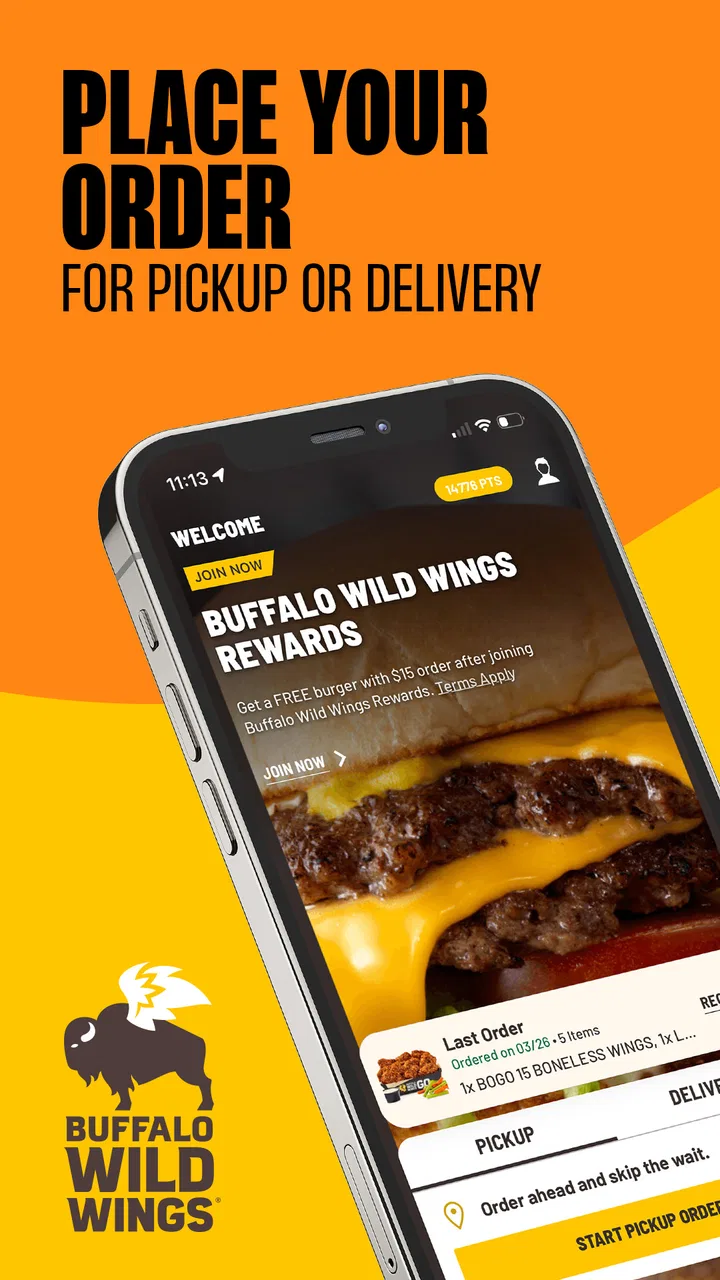
Buffalo Wild Wings Ordering
- 4.7
- Rating
- 5.00M
- Installs
- Free
- Price

 Analysis by App-foxy
When I want Buffalo Wild Wings without turning the order into a phone call, I use Buffalo Wild Wings Ordering as the direct route from menu browsing to takeout or delivery. It is a Food & Drink app from Buffalo Wild Wings, Inc., and its purpose is refreshingly narrow: help me order the restaurant’s food for the occasion I already have in mind. That focus is its biggest strength, but it also sets a clear boundary. If I am comparing many restaurants, hunting for the lowest delivery fee, or trying to combine several places in one checkout, a broader food-ordering service may suit me better.
The app is free, carries an Everyone age rating, and has been available since September 14, 2015. Its current version is 8.2.5 and it requires an operating system version of 11 or newer. Those details matter before downloading: the price is not the barrier, but an older device may be. With a 4.6 average from around 202 thousand ratings and more than 5 million installs, it is clearly a well-established option rather than a rarely used restaurant utility.
How I Decide Whether It Is the Right Ordering Tool
I start with the occasion, not the app. If I already know I want Buffalo Wild Wings, the restaurant’s own ordering app makes logical sense. I am not paying attention to competing menus, and I do not need a marketplace to introduce me to nearby choices. I mainly want to find the food I like, select how I will receive it, and finish the order with as little wandering as possible.
You May Also Like

 Blood Strike: 2.5 Anniversary
Blood Strike’s Loadouts Turn Every Drop Into a Tactical Gamble
A close look at Blood Strike’s custom loadouts: how fast access to signature weapons reshapes its battle royale rhythm, rewards preparation, and narrows the gap between fights.

 Pandora - Music & Podcasts
Pandora’s Music Is Easy to Start, but Harder to Recover
Pandora’s strength is its low-effort path from a seed to a station. Its weak spot is how much confidence it asks you to place in connection, setup, and quiet recovery.

 8 Ball Pool
 Is Built on Rivalries, Rematches, and Routine
A close look at the rivalries, rematches, shared routines, and unanswered safety questions that turn a quick pool match into a persistent mobile community.

 Samsung Music
’s Quiet Strength Is Playing What You Already Own
Its reach comes less from spectacle than from dependable access to a personal library. That simplicity is both the app’s strongest retention engine and its ceiling.

 AccuWeather: Weather Radar
AccuWeather Review: A Quick, Clear Forecast for Everyday Decisions
For everyday plans, the best forecast is the one you can understand quickly. AccuWeather makes rain timing, radar, and local conditions easy to act on, with a few trade-offs.

 Hill Climb Racing
Why Hill Climb Racing Still Turns Crashes Into One More Run
A tiny car, a bumpy hill and one more upgrade: Hill Climb Racing keeps resurfacing because its simple chaos makes every near-miss feel personal.
More From Our News Desk
View All News


That decision changes when I am still choosing dinner. A general delivery marketplace is more useful when I want to compare chicken, pizza, burgers, or local restaurants side by side. The official app is a brand-specific tool, so its value rises with certainty. The more certain I am about the restaurant, the less I miss the broader search features of an alternative.
I also consider whether I am ordering for one person or a group. A solo order is usually easy to reason through. A group order needs more attention because different people may want different wing flavors, sauces, sides, or quantities. The app can be convenient for collecting those choices in one restaurant order, but convenience does not remove the need to review every item before paying.
My practical decision criteria are therefore simple: do I already want this restaurant, do I need takeout or delivery, is my device compatible, and will I benefit from ordering directly rather than comparing several services? If the answer to the first two questions is yes, this app deserves a place on the home screen. If the answer to the first is no, I would begin elsewhere.
The first-use experience and the basic workflow
In normal use, I treat the app as a guided ordering path rather than a food discovery tool. I open it when I am ready to act, look through the Buffalo Wild Wings choices, build the order, and select the appropriate fulfillment method. That sounds obvious, but it affects how I use it: I do not open it expecting a broad restaurant directory or a general-purpose meal planner.
For takeout, the workflow is especially easy to understand. I can focus on what I want to eat and when I want to collect it, without adding the extra uncertainty that comes with waiting for a courier. This is my preferred route when I am already near a location or passing by one after work. I can place the order before leaving, then avoid spending time studying the menu at the counter.
Delivery is more useful on evenings when nobody wants to leave home. I still recommend checking the final order carefully before submitting it, particularly when several people are sharing food. A quick review of flavors, sides, quantities, and the selected fulfillment option can prevent the kind of mistake that is frustrating to discover only after the order is underway.
One small but useful habit is to decide the group’s order before opening the app. I ask everyone to state their main choice and any changes first, then enter everything in one pass. This reduces the chance of forgetting a side while switching between people and makes the checkout review much clearer. It is not a flashy feature, but it makes the app more effective in real life.
Where the Official App Wins
The strongest advantage is directness. When Buffalo Wild Wings is already the destination, I would rather work in a restaurant-specific environment than search through a marketplace full of unrelated listings. The app keeps my attention on one menu and one ordering process. That can save mental effort, especially when I am ordering familiar favorites and do not need inspiration.
It is also a better fit for takeout than a service designed mainly around comparing delivery options. Picking up food myself gives me more control over the timing of the journey. I can order from home, leave when it makes sense, and avoid making the menu decision while standing in a busy restaurant. For a planned pickup after work, that straightforward workflow is the reason I choose the app.
Another advantage is clarity of intent. With a restaurant’s own app, I know that I am looking at the Buffalo Wild Wings ordering experience rather than trying to interpret how a third-party marketplace presents the same restaurant. That does not guarantee a perfect order, but it gives me a cleaner starting point. I can concentrate on the food and the pickup or delivery choice instead of navigating a marketplace’s broader structure.
The app is also a sensible option for repeat customers. If I already know which wings, sauces, sides, or other menu choices I want, opening a dedicated tool feels more natural than beginning a new search every time. My recommendation here is to use it as a repeat-order shortcut in your routine, not as a replacement for every food app on your phone.
Useful habits for group orders and busy evenings
For a family or small gathering, I build the order in categories. I enter the main items first, then sides, drinks, and any extras, checking the basket after each category. This is more reliable than adding items randomly as people call them out. It also makes it easier to notice whether one person’s request has been left out.
I would avoid treating the final screen as a formality. Group orders are where small selection errors become expensive and inconvenient. I read the basket from top to bottom, confirm the number of items, and check whether the order is set for takeout or delivery. If the app presents customization choices, I slow down there rather than tapping through automatically. That extra minute is worthwhile when the meal is for several people.
For a late decision, I use a different approach. I decide whether pickup or delivery is genuinely more practical before browsing deeply. If I am already going out, takeout may be the cleaner choice. If everyone is settled at home, delivery may win even if it involves more waiting. Making that decision early keeps me from building an order and then changing the fulfillment plan at the end.
This is also where the app’s narrow purpose becomes a strength. I am less likely to get distracted by unrelated restaurants or add food simply because another menu looks tempting. For someone who appreciates a focused checkout, that restraint is valuable. For someone who enjoys browsing every nearby possibility, it may feel limiting.
Where Other Ordering Options May Fit Better
The most obvious alternative is a broad delivery marketplace. I prefer that type of service when I have not chosen dinner yet, when I want to compare restaurants, or when I am ordering food from more than one place. A marketplace can be a better decision tool for variety. Buffalo Wild Wings Ordering is better when the restaurant decision has already been made.
I would also consider a general service when the rest of my household wants different cuisines. One person may want wings, another may want sushi, and someone else may want a vegetarian meal from a separate restaurant. A single-brand app cannot solve that mixed-menu problem. In that situation, the convenience of one broader cart may outweigh the benefits of ordering directly.
There is a trade-off in convenience, though. Broader platforms can introduce extra layers between me and the restaurant, while the dedicated app keeps the experience centered on Buffalo Wild Wings. I do not assume one category is always superior. The right choice depends on whether I value restaurant focus or cross-restaurant comparison for that particular meal.
Another alternative is ordering in person. I choose that when I am already at the restaurant, when my plans are changing quickly, or when I need to discuss a complicated request directly. The app is more useful when I want to prepare the order before arriving. If my order requires a conversation rather than a sequence of menu selections, a human interaction may be more comfortable.
Phone ordering can serve a similar purpose for people who do not want to use an app. I see the digital route as more convenient for reading choices and reviewing a basket, but not everyone enjoys entering a large order on a small screen. For a big event with unusual requirements, speaking to staff may still be the better experience, even if it is less streamlined.
Limitations I noticed in the decision process
The first limitation is that the app cannot help me decide whether Buffalo Wild Wings is the best restaurant for the group. It can help me order from that restaurant, but it does not replace the comparison stage. If price, cuisine variety, or delivery coverage across several restaurants is the main concern, I begin with a broader option.
The second is device compatibility. Because the app requires operating system version 11 or newer, I would check the phone before recommending it to someone using an older device. The app itself is free, but an incompatible phone can make that free download irrelevant. This is a small issue for newer devices and a decisive one for older hardware.
The third is the risk of overconfidence with familiar orders. I have found that knowing the restaurant can make me tap too quickly. Familiarity encourages shortcuts, and shortcuts are exactly what cause mistakes in a group basket. The app works best when I keep the final review habit, especially for sauces, sides, quantities, and fulfillment.
I also would not choose it solely because it has a strong average rating. The 4.6 average and substantial review activity suggest that many users are satisfied, but ratings do not tell me whether the app matches my particular ordering habits. A high rating cannot make a single-brand app into a multi-restaurant comparison tool, and it cannot resolve a poor fit between my device and the minimum operating system requirement.
What Switching to It Actually Involves
Moving from a marketplace to this app is not a dramatic change when I already order Buffalo Wild Wings regularly. The main adjustment is remembering to open the restaurant-specific app first instead of searching for the brand inside another service. For occasional customers, that extra app may not be worth the space or the change in routine. For repeat customers, the focused workflow can quickly feel natural.
The cost of switching is mostly convenience trade-off rather than money, since the app itself is free. I give up some of the broad comparison that a marketplace offers, but I gain a more focused path for this restaurant. I would make the switch when direct ordering is my normal behavior, not just for a single spontaneous meal.
There is also a small learning cost. The first order takes more attention because I am learning where menu choices and customization options appear. After that, I can use a repeatable process: choose the restaurant context, build the order, inspect every item, verify takeout or delivery, and then complete the purchase. That sequence is simple enough that it becomes second nature.
For a household, the switch works best if one person owns the final basket review. Everyone can suggest items, but one person should confirm the complete order before submission. This avoids duplicate sides, missed changes, and confusion about whether the order is for collection or delivery. It is a practical workflow improvement that matters more than any single interface detail.
I would not install it just to browse casually. The app earns its place when I expect to use Buffalo Wild Wings often enough that direct access saves time. If I only visit once in a long while, a marketplace or in-person visit may be simpler because I am already using those alternatives for other meals.
My Recommendation for Different Kinds of Users
I recommend Buffalo Wild Wings Ordering to someone who already knows what restaurant they want and regularly chooses Buffalo Wild Wings for takeout or delivery. The app’s focus is its reason to exist, and that focus works. It is free, aimed at Everyone, and backed by a large installed user base, while the current version keeps it relevant for compatible devices.
I especially recommend it for planned pickup. Ordering ahead can make the transition from work, errands, or home to the restaurant more organized. I also like it for familiar group meals, provided I use the basket review step instead of rushing through the final screen. Those are the situations where the dedicated approach feels more useful than a general marketplace.
I would suggest skipping it if you are still comparing restaurants, need several cuisines in one order, use a phone below the required operating system version, or prefer handling complex requests by speaking with staff. In those cases, a broader delivery service, an in-person order, or a phone call may fit the situation better.
My final view is straightforward: this is not an all-purpose food-ordering app, and it should not be judged as one. It is a focused way to order Buffalo Wild Wings favorites for takeout or delivery. Choose it when restaurant certainty matters more than restaurant comparison. If that describes the way you usually decide dinner, I think it is worth installing and keeping available for the next planned order.
FAQs for Buffalo Wild Wings Ordering
01What features does the Buffalo Wild Wings Ordering app offer?
The Buffalo Wild Wings Ordering app allows users to browse the full menu, customize orders, and select their preferred pickup or delivery options. It also provides access to exclusive deals, loyalty rewards, and notifications for promotions. Additionally, users can track their orders in real-time and save their favorite orders for quick reordering.
02Is the Buffalo Wild Wings Ordering app free to use?
Yes, the app is free to download and use on both Android and iOS platforms. However, standard data charges may apply when using the app over cellular networks. While the app itself is free, users will still need to pay for the orders they place through the app, including any applicable taxes and delivery fees.
03Can I use the app to order for delivery and pickup?
Absolutely! The Buffalo Wild Wings Ordering app allows users to choose between delivery and pickup options. You can select your preferred method at checkout, and the app will provide an estimated time for your order’s readiness or delivery. Make sure to check the availability of delivery services in your area.
04How do I earn and redeem rewards using the app?
To earn rewards, users need to sign up for the Buffalo Wild Wings Blazin’ Rewards program through the app. Points are earned on eligible purchases, which can be redeemed for free menu items and other rewards. The app provides users with an easy way to track their points and redeem them directly when placing an order.
05What should I do if I encounter issues with my order through the app?
If you experience any issues with your order, such as incorrect items or delays, you can contact the restaurant directly using the contact information provided in the app. Additionally, the app includes a support feature where you can report problems and receive assistance from customer service to resolve the issue promptly.
Pros
- Easy-to-navigate interface for quick orders.
- Customizable menu options for dietary needs.
- Real-time order tracking available.
- Loyalty rewards program included.
- Option to schedule orders for later.
Cons
- Limited delivery areas currently available.
- Occasional app crashes reported by users.
- Some menu items have inconsistent pricing.
- Push notifications can be excessive.
- No support for split payments.

Buffalo Wild Wings Ordering
Gallery